Put Quizá on the screen
Open quizatv.com/tv on the waiting room TV and pair it with your dashboard using a 6-letter code.
Your waiting room screen shows general knowledge questions. Anyone who wants to scans the QR code and plays from their phone; anyone who doesn’t just watches. No sound, no apps and no personal details asked.
A waiting room usually has a TV on some channel and old magazines. People look at their phones or the clock, and the wait feels long even when it isn’t.
Quizá turns that screen into something you can follow without effort: a question every few seconds, the answer and a fun fact. You dip in and out of the game when they call you, no commitment.
Open quizatv.com/tv on the waiting room TV and pair it with your dashboard using a 6-letter code.
General knowledge, film, music, sport or kids. In surgeries and clinics, turn on healthcare mode.
With the QR code on the screen, each person joins from their phone. Everyone else can follow the questions without doing anything.
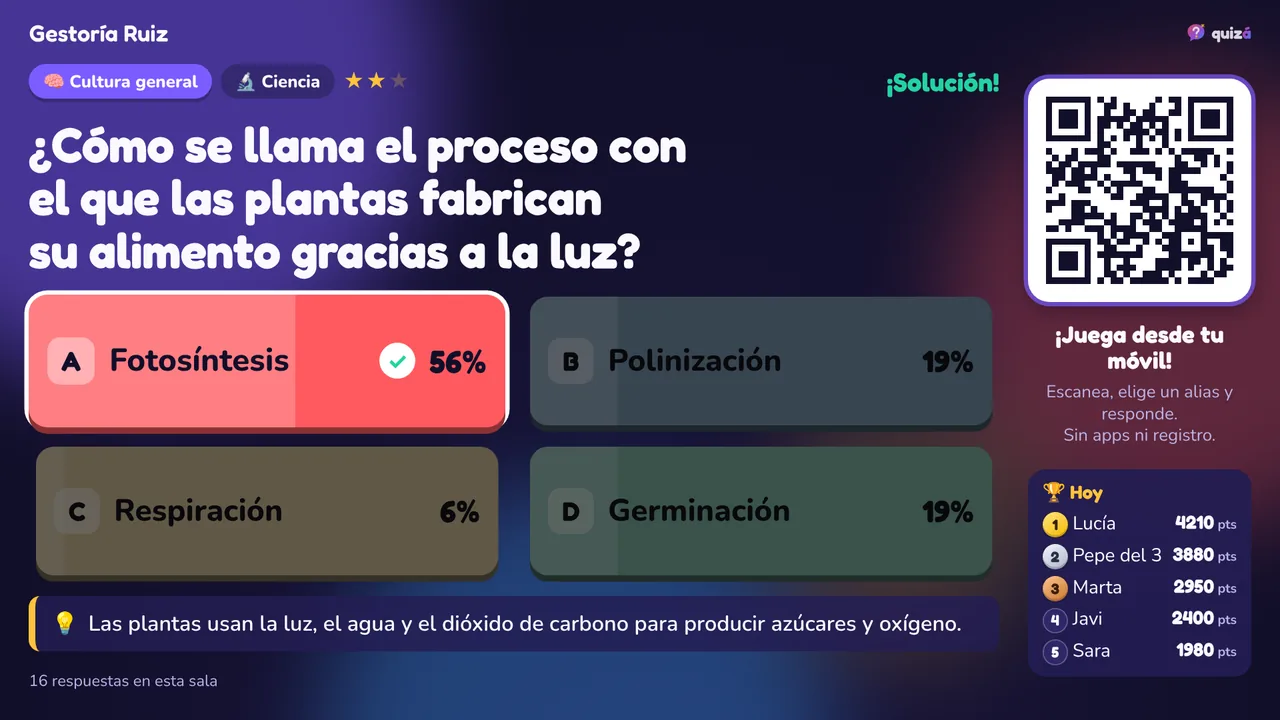
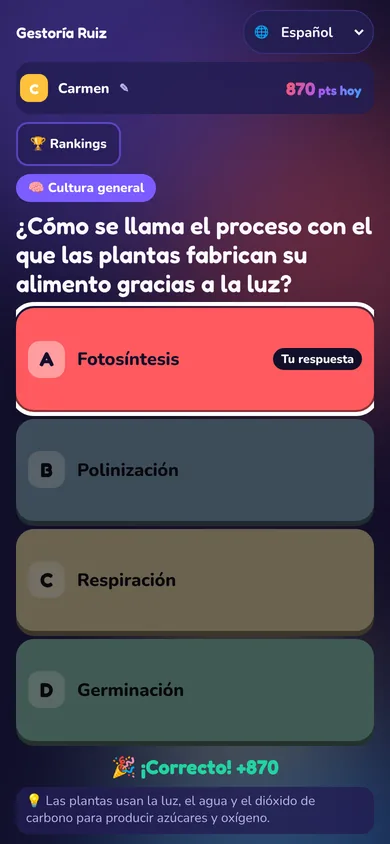
The screen plays no audio: it does not bother people who prefer silence or those waiting for bad news.
Automatically leaves out questions that could be sensitive. Only those marked as suitable for a waiting room come up.
The screen is useful even if nobody scans the QR code: people read the question and think of the answer.
Whoever plays picks a nickname. No name, email or phone number is asked for.
With the Pro plan, your own ads between questions: opening hours, new services or waiting room rules.
With healthcare mode and gentle themes.
General knowledge for the time before the appointment.
While the car is being checked, customers have something to do.
What is the process by which plants make their food using light called?
💡 Plants use light, water and carbon dioxide to produce sugars and oxygen.
The free plan includes 1 screen and the whole question bank. If you need several waiting rooms, sites or local content, the Institutional plan is tailor-made.
Yes, as spectators: the screen shows the question, the time and the answer, so it can be followed without a phone.
A nickname and a random identifier stored on their phone to count the points. No name, email or phone number is asked for.
Yes, with healthcare waiting room mode: only questions marked as suitable come up. Even so, you choose the themes for each screen.
Yes. The questions follow one another by themselves throughout the waiting room’s opening hours.
The free plan includes 1 screen. Pro costs €19 per screen per month and adds several screens, your own questions and ads.